

1. Solitaire Shuffle Game Overview
Solitaire Shuffle is a genuinely inventive take on classic Klondike solitaire that introduces one game-changing additional tool: the shuffle button. When the tableau feels stuck and moving cards between columns has run its course, you can shuffle the cards on the board to create new stacks and fresh clearing opportunities. This single addition transforms the experience in a meaningful way — stuck positions are no longer dead ends, just moments requiring a different approach.
The shuffle mechanic is resource-managed, which is the key design decision that makes it strategically interesting rather than trivially powerful. In harder difficulty modes, you have fewer shuffles available, and that scarcity forces genuine decisions: is this position worth a shuffle, or can careful tableau management resolve it naturally? A shuffle spent on a manageable situation is a shuffle unavailable for a genuinely stuck one. This resource tension elevates the game from a standard Klondike experience to something with an additional strategic dimension.
Four difficulty modes — easy, medium, hard, and expert — calibrate how many shuffles you have and how complex the starting layout is. Easy mode is generous with both shuffles and accessible layouts; expert mode combines challenging deals with minimal shuffle availability for players who want the hardest possible experience. This difficulty range makes Solitaire Shuffle genuinely suitable for the full skill spectrum from absolute beginners to experienced competitive solitaire players.
The customization system, statistics tracking, and achievement framework give the game long-term engagement structure beyond individual sessions.
Key Details:
| Genre: | Card Game / Solitaire |
| Difficulty Level: | Easy to Expert (four selectable modes) |
| Average Play Time: | 10–25 minutes per game |
| Best For: | Solitaire players who want a Klondike experience with a strategic additional tool; great across the full skill range from beginners to experts |
2. How to Play Solitaire Shuffle
Getting Started:
- Choose your difficulty: easy, medium, hard, or expert.
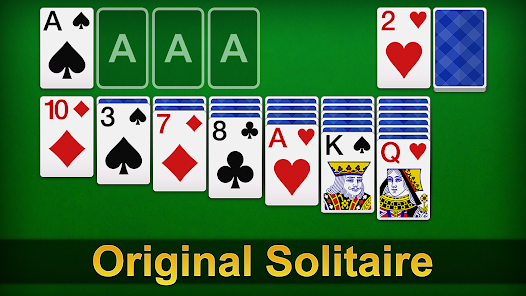
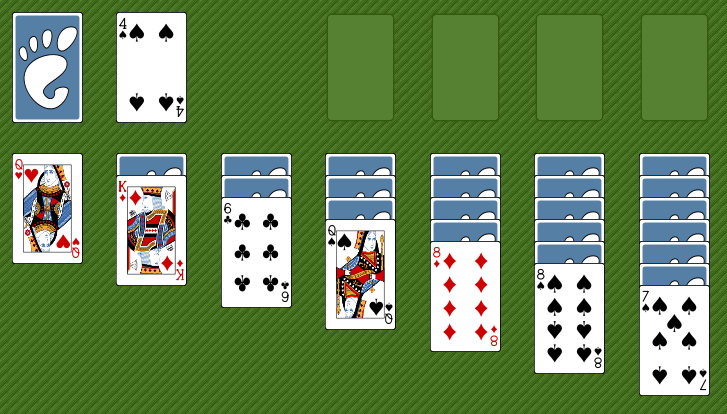
- Cards are dealt into seven columns — standard Klondike layout with face-down and face-up cards.
- Move face-up cards onto other face-up cards (one rank lower, opposite color) to build tableau sequences.
- Use the shuffle button when the tableau becomes stuck — it rearranges board cards into new stacks.
- Build all four foundation piles from Ace to King by suit to win.
Basic Controls:
- Drag & Drop: Click and drag cards to move them between columns or to foundations.
- Shuffle Button: Click to redistribute board cards into new stacks (limited uses — number varies by difficulty).
- Hint Button: Suggests a valid available move.
- Undo Button: Reverses your last move.
Objective: Move all 52 cards to the four foundation piles (Ace to King, same suit) using standard Klondike tableau movement rules and the limited-use shuffle as a strategic resource.
3. Solitaire Shuffle Features & Highlights
- ✓ Shuffle button mechanic — a resource-managed board redistribution tool that transforms stuck positions into new opportunities
- ✓ Four difficulty modes — easy, medium, hard, and expert provide a complete skill range with different shuffle availability
- ✓ Hints and undo — standard accessibility tools available throughout all difficulty modes
- ✓ Statistics and achievements — performance tracking and milestone rewards for sustained engagement
- ✓ Full visual customization — themes, backgrounds, card designs, and sounds adjustable to player preference
4. Solitaire Shuffle Tips & Strategies
Beginner Tips:
- Treat shuffle as emergency reserve, not routine tool. The temptation to shuffle at the first sign of difficulty removes the tension that makes the mechanic strategically interesting. Exhaust all natural tableau moves before considering a shuffle — you'll likely find a path forward more often than you expect.
- Count your shuffles before starting. Know how many shuffles your chosen difficulty allows. This number should inform your willingness to shuffle early versus late — if you have 5 shuffles, you can afford one in the mid-game; if you have 2, you need to protect both for genuine deadlocks.
- Use hints to find moves before shuffling. The hint button often reveals moves you've missed in your tableau scanning. Check hints before using a shuffle — a missed move might resolve the apparent dead end without consuming a shuffle.
Advanced Strategies:
- Use shuffle to break specific known blockages. When you know exactly which card configuration is causing the problem, a shuffle has a chance of resolving it by redistributing those specific cards. This isn't guaranteed — shuffles are random — but it's better informed than using one out of general frustration.
- In expert mode, play conservatively to protect shuffles. Expert mode's minimal shuffle availability means each one is precious. Play more defensively than your instincts suggest — prefer moves that protect future options over moves that maximize immediate progress at the cost of future flexibility.
- Build foundation sequences as early as possible. Cards in the foundation are permanently removed from the board — they can't contribute to tableau blockages. Sending cards to foundations as soon as they're eligible permanently simplifies the remaining tableau, reducing the situations where a shuffle becomes necessary.
What to Watch Out For:
- Shuffle anxiety. Players who worry constantly about shuffles often play sub-optimally — holding back on valid moves to "save" shuffle potential when the moves themselves would have resolved the situation. Play the best natural move; use shuffles only when natural play genuinely fails.
- Ignoring the difficulty-mode shuffle count. Easy mode's generous shuffle count shouldn't make you careless — even easy mode has a limit. Expert mode's minimal count shouldn't paralyze you — even with 2 shuffles, there are multiple moments where using one is clearly correct.
5. Solitaire Shuffle Game Elements Explained
The Shuffle Mechanic: Solitaire Shuffle's defining addition to the Klondike formula is the shuffle button — a board-redistribution tool that rearranges all remaining tableau cards into new stack configurations when activated. This creates fresh accessibility patterns from a position that had become stuck under the standard card movement rules. The shuffle doesn't add cards, remove cards, or change the game's rules — it only reorganizes what's already on the board into different stacks. This constraint means a shuffle doesn't guarantee a solve from any position, but it reliably creates new movement options from positions where all obvious tableau moves have been exhausted. The shuffle's value comes directly from the new configurations it creates, which are random and therefore unpredictable — sometimes excellent, sometimes only marginally better, but always different from the stuck state.
The Four Difficulty Mode System: Solitaire Shuffle's four difficulty modes (easy, medium, hard, expert) calibrate two variables simultaneously: the complexity of the initial card deal and the number of shuffles available. Easy mode uses simpler deals with more accessible face-up cards and a generous shuffle count. Expert mode uses complex deals with many face-down cards and minimal — sometimes just one or two — shuffles. This dual calibration means difficulty genuinely scales in two dimensions: the tableau is harder to manage AND the safety net is smaller. Players who master easy mode may find medium or hard modes require meaningfully different strategic approaches, not just faster execution of the same moves.
The Customization and Statistics System: Solitaire Shuffle provides full visual customization across multiple dimensions: playing field themes, background designs, card visual styles, and sound settings. These options allow players to create a personal aesthetic environment that suits their preference. The statistics system tracks performance across sessions — win rate, average moves per completion, time records, and other metrics that reveal how a player's Solitaire Shuffle skill is developing over time. Achievement milestones reward specific performance accomplishments across the full skill range, from completing a first game to achieving expert mode victories with minimal shuffles. Together, customization and tracking give the game a long-term engagement structure that rewards sustained play beyond any individual game.
6. Solitaire Shuffle Frequently Asked Questions
Q: How does the shuffle button work?
A: Clicking the shuffle button redistributes all remaining tableau cards into new, randomly arranged stacks. The number of times you can use it depends on your chosen difficulty mode — fewer shuffles are available on harder modes.
Q: When should I use a shuffle?
A: Use a shuffle when you've genuinely exhausted all natural tableau moves and drawn all available stock pile cards, and the board is still stuck with no valid plays. Don't use it simply because the current situation seems difficult — check for overlooked moves with the hint button first.
Q: Which difficulty mode should I start with?
A: Start with easy mode to learn how the shuffle mechanic integrates with standard Klondike strategy. Once comfortable, try medium — the reduced shuffle count changes the strategic dynamic meaningfully. Progress to hard and expert as your confidence grows.
Q: Do hints and undo have unlimited uses?
A: Yes — hints and undo are available without a use limit across all difficulty modes. They don't consume shuffles and don't affect your ability to use the shuffle button.
Q: Can I change the visual theme or card design?
A: Yes — the game's customization options include themes, backgrounds, card designs, and sound settings. Access these from the settings or customization menu.