




1. Geometry Dash Lite Game Overview
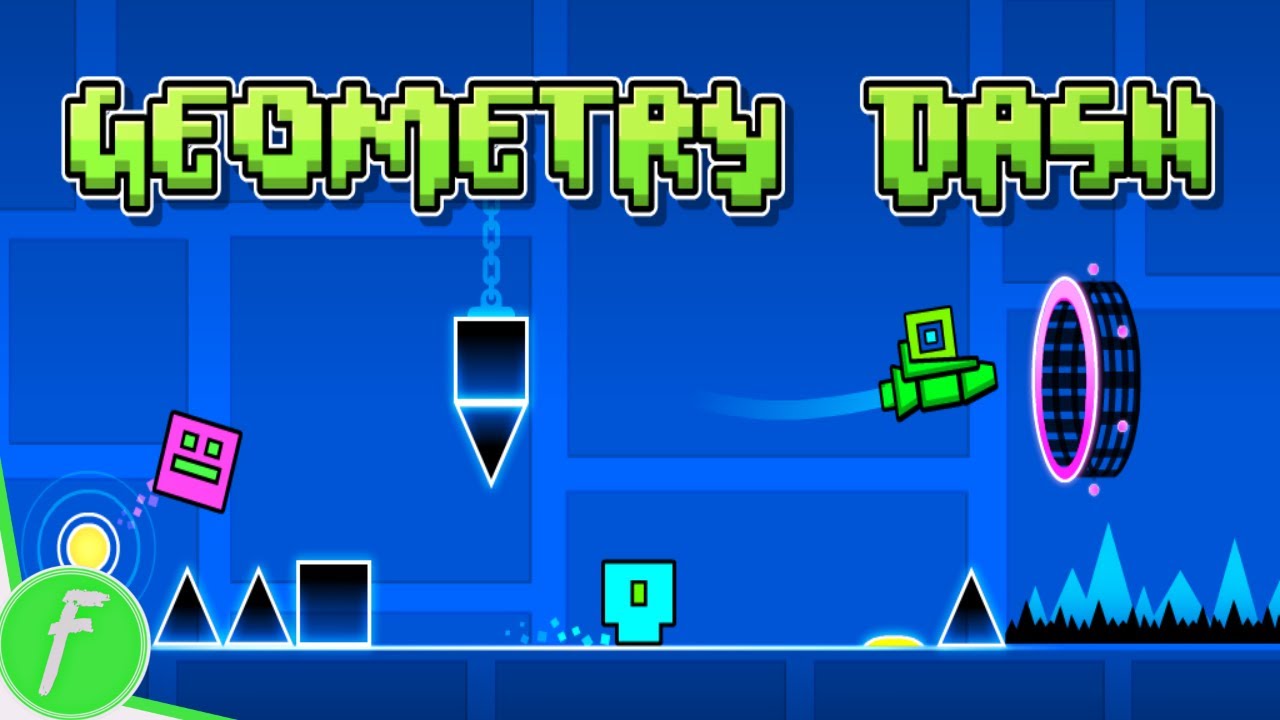
Geometry Dash Lite is a precision platformer that turns rhythm, reflexes, and pattern memorization into a single, relentless challenge. You control a cube navigating a side-scrolling world of spikes, platforms, and obstacles — tapping or pressing a single button to jump at exactly the right moment, over and over, across 15 levels of escalating difficulty. Miss once and you restart from the beginning.
That restart mechanic is the game's defining feature. There are no checkpoints. Every level is a complete run from start to finish, and a single mistimed jump costs you everything you just earned. This sounds punishing — and it is — but it's also what makes every successful completion feel genuinely earned. The longer a level runs, the higher the stakes of every obstacle you clear, and the satisfaction of finally clearing a level you've been stuck on is one of gaming's most reliable emotional payoffs.
The 15 levels span wildly different themes — desert, electronics, machinery, circles, and more — each with its own visual identity and musical track that the obstacles are choreographed to match. Star ratings from 1 to 15 mark difficulty, with level 1 being an accessible introduction and level 15 (Electrodynamix) representing one of the most demanding precision challenges in the series.
What keeps players coming back isn't masochism — it's the combination of steady skill accumulation and visible progress. Each attempt gets you a little further. Each death teaches you something about the next obstacle. The learning curve is steep, but it's a fair one.
Key Details:
| Genre: | Platformer / Rhythm / Precision Arcade |
| Difficulty Level: | Variable (1 star to 15 stars across levels) |
| Average Play Time: | 5–30 minutes per session |
| Best For: | Reflex-driven players who enjoy precision challenges, rhythm-based gameplay, and the satisfaction of hard-won progression |
2. How to Play Geometry Dash Lite
Getting Started:
- Select a level from the map — start with the 1-star level if you're new to the series.
- The cube moves forward automatically — you only control when it jumps.
- Press the spacebar, up arrow, or left mouse button to jump over obstacles.
- Time your jumps to clear spikes, gaps, and platforms that appear in sequence.
- Reach the end of the level without hitting any obstacle to complete it.
Basic Controls:
- Spacebar: Jump.
- Up Arrow: Jump (alternative).
- Left Mouse Button: Jump (alternative).
- All three inputs are identical in function — use whichever feels most natural.
Objective: Navigate the cube through each level from start to finish without hitting any obstacle. Complete all 15 levels in order of increasing difficulty, from 1 star to the brutally demanding 15-star Electrodynamix.
3. Geometry Dash Lite Features & Highlights
- ✓ 15 themed levels — each with a distinct visual environment and musical track, from desert to electronics to machinery
- ✓ Star-based difficulty rating — transparent 1-to-15 progression lets players know exactly what they're walking into
- ✓ No-checkpoint design — complete runs from start to finish, making every completion a genuine achievement
- ✓ Three input options — spacebar, up arrow, or mouse click accommodate different play preferences
- ✓ Rhythm-synchronized obstacles — level design follows the music, rewarding players who move with the beat
4. Geometry Dash Lite Tips & Strategies
Beginner Tips:
- Listen to the music, not just the visuals. Geometry Dash Lite's obstacles are choreographed to the level's soundtrack. Learning to feel the rhythm and anticipate jumps from the beat — rather than purely reacting to visual cues — is the single most effective technique improvement available.
- Accept that dying is the lesson. Every run that ends teaches you the exact shape of the next obstacle. Don't restart in frustration — restart with the new information. Your next attempt should get one step further.
- Master the early levels fully before advancing. The jump timing instincts you build on 1-star and 2-star levels are the foundation for everything harder. Rushing past them without clean completion leaves you without the reflex muscle memory later levels demand.
Advanced Strategies:
- Mentally section the level. Rather than thinking of a level as one long challenge, divide it into three or four memorized segments. Focus on surviving each section cleanly before worrying about the full run — this reduces the psychological weight of a long level.
- Count obstacles, don't just react to them. At high difficulty, some obstacle sequences are fast enough that visual reaction is insufficient. Memorize the count — "three spikes, two platforms, one long gap" — so your hands know what's coming before your eyes register it.
- Use failed attempts to scout, not just survive. On a new level, your first several attempts will end early. Use those early deaths specifically to study the obstacle ahead — pause your survival instinct and let the run end so you can observe what comes next without the cognitive load of active survival.
What to Watch Out For:
- Inconsistent jump timing. The most common beginner error is variable timing — the same obstacle sometimes cleared, sometimes not. Consistent, metronome-like input timing beats reactive, improvised timing at every difficulty level.
- Tilting after long runs end badly. There's a specific kind of frustration that comes from dying at 80% through a long level after a clean run. Players who let that frustration change their rhythm on the next attempt make errors earlier than usual. Reset intentionally between attempts.
5. Geometry Dash Lite Game Elements Explained
The Single-Jump Control System: Geometry Dash Lite's entire control scheme is a single button that makes the cube jump. That's it — no direction controls, no special moves, no second action. The cube moves forward automatically at a fixed speed; you only decide when it leaves the ground. This extreme simplicity is what makes the game simultaneously accessible (anyone can understand what to do in ten seconds) and brutally demanding (the gap between knowing what to do and doing it at the right millisecond is enormous). The single-input design also means that all difficulty in the game comes from timing precision and pattern memorization rather than complex control combinations — the skill ceiling is entirely about reflexes and mental preparation.
The Star Difficulty and Level Progression System: Geometry Dash Lite's 15 levels are rated with a star system from 1 to 15, where 1 star indicates a beginner-accessible challenge and 15 stars (Electrodynamix) represents the hardest level in the game. Each level also has a distinct visual theme — desert, electronics, machinery, circles, and others — paired with a unique musical track that the obstacle sequence is choreographed to follow. The star ratings are honest: the jump from 5 stars to 10 stars is substantial, and the jump from 10 to 15 is severe. Players who attempt to skip difficulty tiers typically hit walls they're not prepared for, while players who progress through each star level in order arrive at harder levels with the cumulative reflex training those levels required.
The No-Checkpoint Run System: Geometry Dash Lite operates on a strict no-checkpoint policy — every level is a complete run from the very first obstacle to the very last, and hitting any obstacle sends you back to the start. This design is what gives the game its distinctive emotional intensity. As a run progresses deeper into a level, the stakes of each new obstacle increase — you have more to lose. Surviving the final 20% of a long level feels fundamentally different from surviving the first 20%, even if the obstacles are similar in difficulty, because of the investment that preceded them. This psychological weight is something experienced players manage consciously: treating each obstacle as identical regardless of run position, rather than playing more cautiously (and often less effectively) when close to the end.
6. Geometry Dash Lite Frequently Asked Questions
Q: Do I need to press and hold the jump button, or just tap it?
A: Just tap it — a single press produces one jump. Holding the button doesn't produce a longer jump in the standard cube form. Tap once per jump, and time each tap to clear the obstacle ahead.
Q: Is there any way to save progress mid-level?
A: No — Geometry Dash Lite has no checkpoints. If you hit an obstacle, you restart the level from the beginning. Your progress through a level only counts when you complete it in full.
Q: How do the star ratings relate to actual difficulty?
A: Each star represents a meaningful step up in obstacle complexity and timing precision required. A 5-star level is noticeably harder than a 3-star level, and a 10-star level is a completely different category of challenge from a 5-star. The 15-star Electrodynamix is considered exceptionally demanding even by experienced players.
Q: Why do I keep dying at the same spot? How do I get past it?
A: Consistently dying at the same obstacle usually indicates a timing or anticipation problem rather than a reflex limit. Try connecting the obstacle to a specific beat in the music — most recurring death spots have a rhythm cue you can learn to feel rather than just see. Also try intentionally letting several runs end at that spot just to study it, without trying to survive past it.
Q: Can I change the controls from spacebar to something else?
A: Geometry Dash Lite accepts three inputs (spacebar, up arrow, left mouse button) simultaneously — all three are always active. You don't need to change settings; simply use whichever of the three feels most comfortable for your setup.